 The Cellar
A wine cellar app for iPhone and iPad
Know when to open every bottle
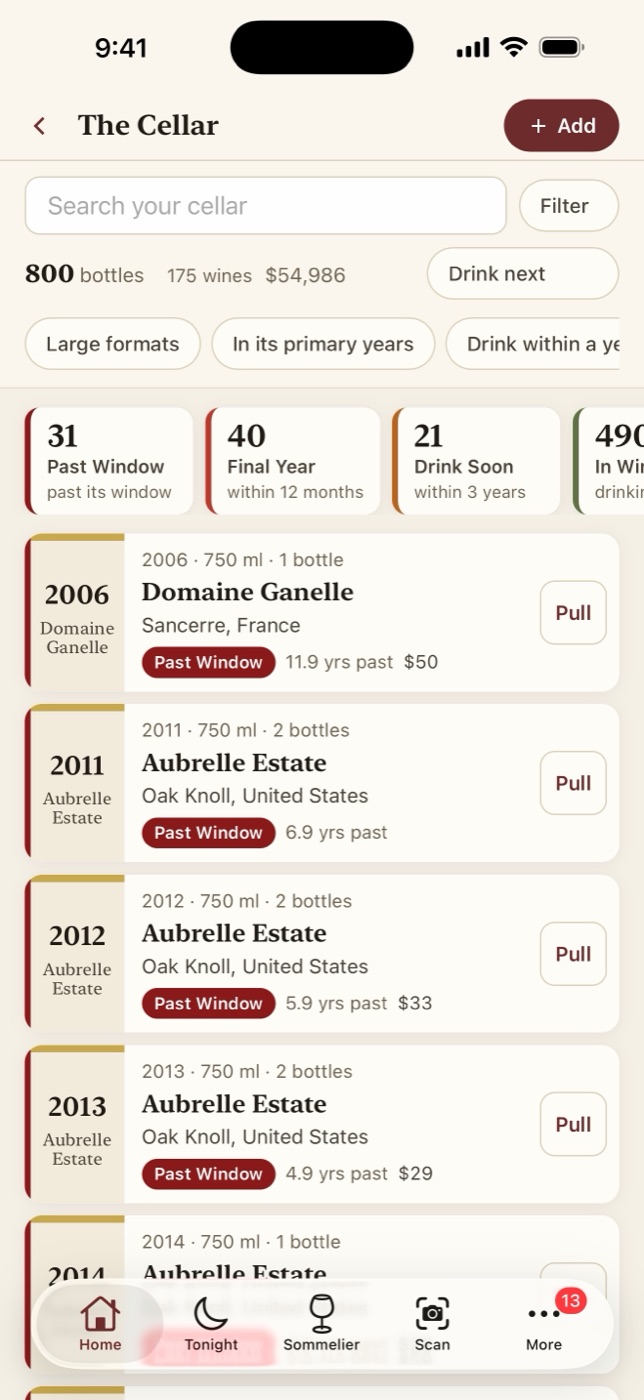
The Cellar keeps track of what you have, where it is, and when each bottle is at its best. Drink windows and alerts for the whole cellar are free, with no account, and it all works with no signal, down in the cellar.
- Unlimited bottles
- No account needed
- No ads, no tracking
Drink windows
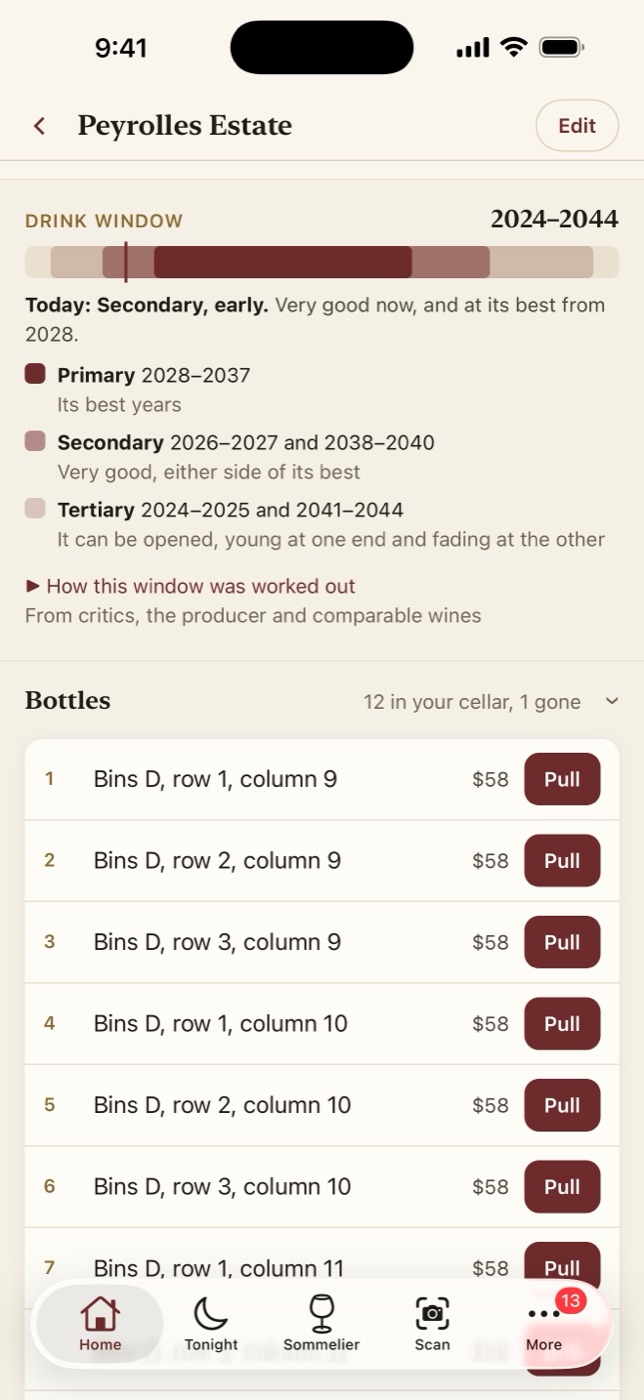
Each wine's window, in three stages
Primary is a wine's best years. Secondary is the very good years either side, and tertiary is every year it can reasonably be opened. The Cellar shows which stage each bottle is in today and points out the ones that need attention before a window passes.
Every window says where it came from: your own years, your import's, or a rule of thumb by style, labeled as one. The aging timeline shows them all at a glance.
With Pro, it researches the wine itself and shows its sources: critics, the producer and comparable wines.
Cellar Design
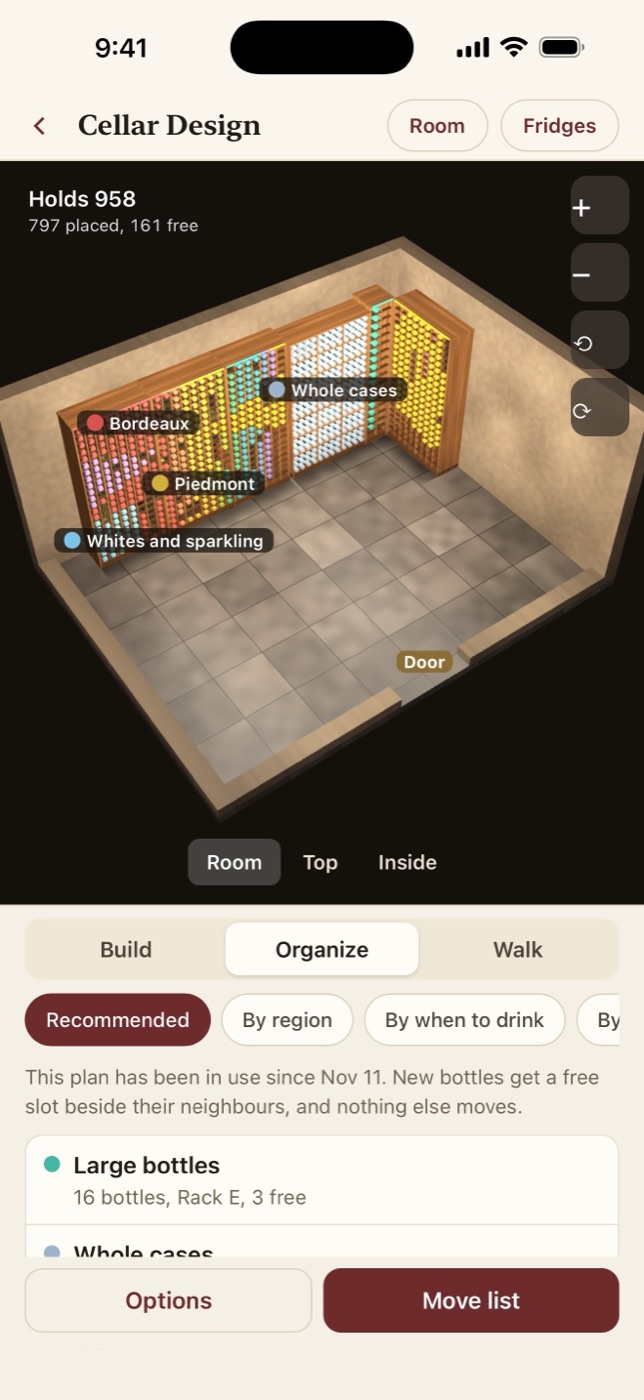
Your cellar in 3D, bottle by bottle
Describe the room, or start from the locations already on your bottles. You get a suggested layout for 300 or 10,000 bottles, with racks, an island, double-deep and magnum racks, and a place for every bottle.
Rotate the room, stand inside it, and tap a bottle to see what it is and why it sits there. Organize by region, by when to drink or by color, then work through the move list, rack by rack.
Value
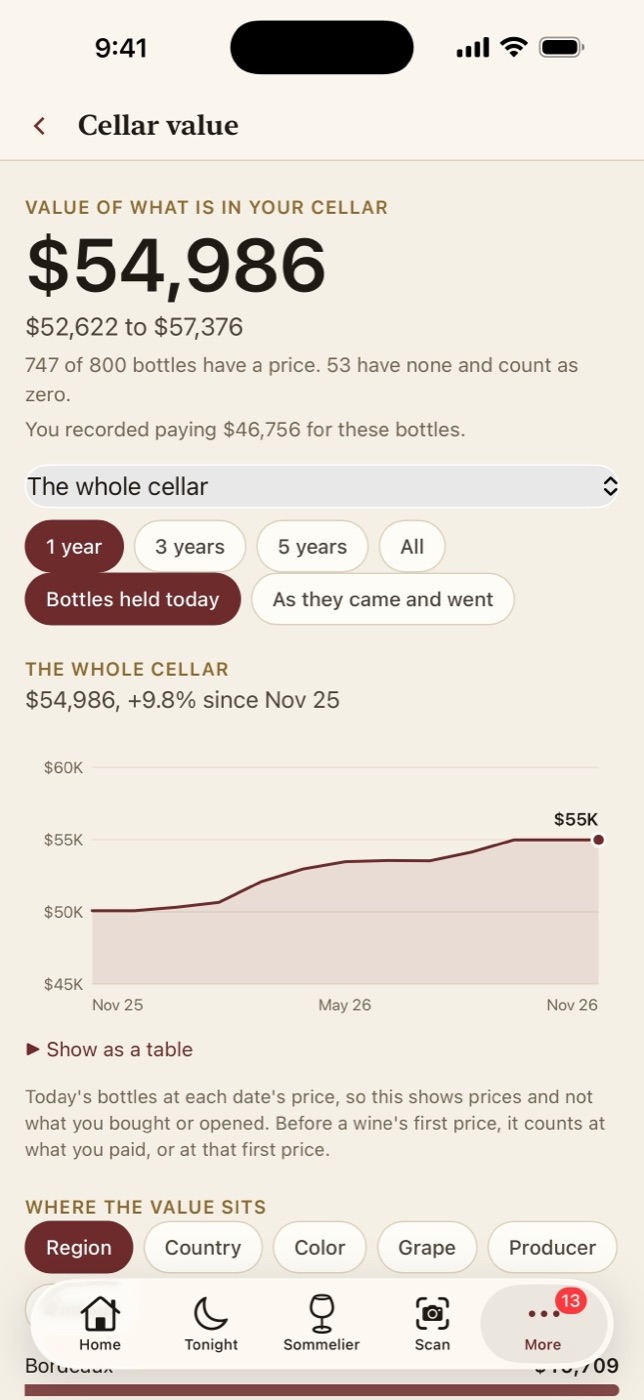
Know what it is worth
Your cellar's value as a range, from the prices you enter, with where each one came from and how the whole cellar has moved over time. A dated valuation report for your insurer comes with it, and says plainly that it is not an appraisal.
With Pro, it finds today's retail prices online, with links to where each price came from.
The sommelier With Pro
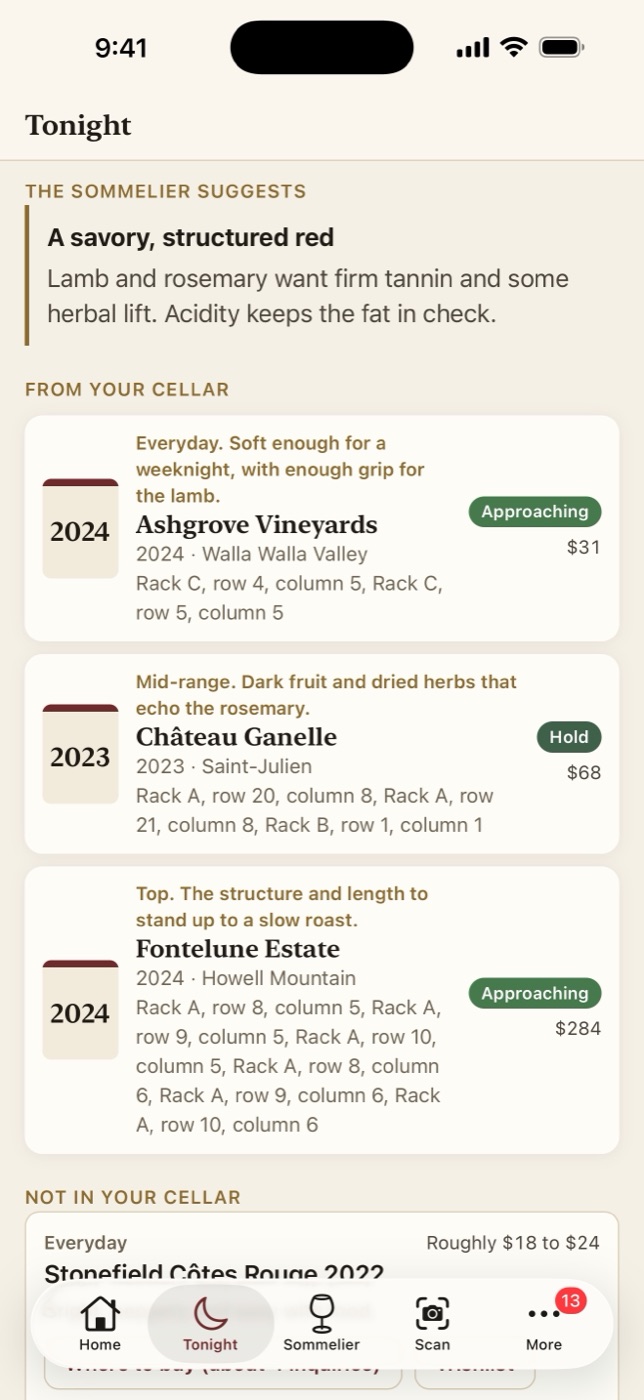
Ask what to open tonight
Tell it what you are cooking. It says what style suits the dish and why, picks bottles from your own cellar at three price levels, and suggests wines to buy at the same three levels.
The app shows what is sent and asks your permission first, and everything else works without it.
And the everyday things
Add bottles quickly
Point the camera at a label or barcode. Your iPhone reads it on the device, and the bottle goes straight in. Or type it in. Only the name is required.
Bring your list
Import a spreadsheet, or an export from CellarTracker or Vivino, with locations, notes and the bottles you already drank. You check the columns before anything is saved, and you can undo it.
Keep a record
Tasting notes, photos and a drinking history, with charts by grape, region and year. Pull a bottle in one tap, and undo if you slip.
Check the cellar
Walk the racks, tick what you find, and write off what is gone. Find the next open slot when a case arrives.
Guests over
Visitor mode hides prices and private notes while someone else is looking.
Yours to keep
Export everything as a spreadsheet or a full backup at any time. A weekly backup goes to the Files app, and an email and password add sync between your iPhone and iPad, if you want it.